
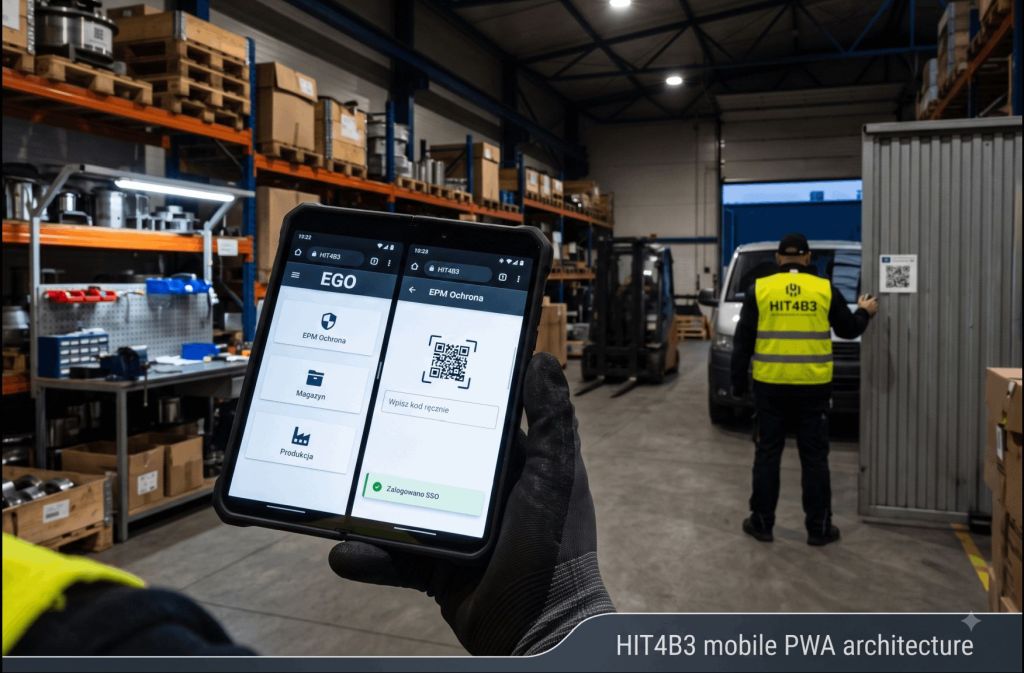
A production floor, a warehouse, security at the gate — this is an environment in which an employee has a phone in his hand, often with gloves, low light and zero patience for browser-based menus designed for the mouse. HIT4B3, our platform built in the SPA architecture on uniGUI, works great on desktop — but mobile is a completely different world. Instead of writing a separate application (native or hybrid), we expanded the existing ecosystem with a dedicated mobile mode and packaged it as a Progressive Web App.
One backend, two interfaces
uniGUI allows you to run classic TUniForm (desktop) and mobile TUnimForm (card layout, large buttons, touch gestures) in parallel in the same project. The server recognizes the device type and serves the appropriate set of forms — business logic, Firebird database, connection pooling, and i18n are shared 1:1 between versions. Each module has its own mobile/:
- EGO - Entry Portal (Login, Company Selection, Weblink List)
- EPM - Protection Module with QR Scanning and Pass Confirmation
- _shr/mobile/ - Components shared between modules.
EGO as an SSO Gateway
The user logs in once to EGO, and from there launches individual weblinks. On mobile, the selected weblink loads in a full-screen frame, and EGO manages the session in the background. The mechanism is based on one-time, encrypted tokens:
- EGO generates a one-time token - an encrypted set of commands
- saves it in the database together with the context (company, language, permissions)
- opens the destination weblink address with the mobile mode and token toggle
- The target module decrypts the token, verifies it with an entry in the database, and logs the user in automatically
This ensures that the user does not log in a second time, even though there are separate application processes running underneath.
The most difficult problem: a live session in two applications at once
In the mobile browser, we have two independent uniGUI sessions at the same time — EGO and the weblink embedded in it — and the native OnSessionIdle event has a confirmed error and does not fire at all for TUnimForm. Solution:
- Counter instead of event - Recurring TUniTimer instead of relying on the OnSessionIdle event
- A common heartbeat between frames via window.postMessage, so that one touch anywhere resets the idle counter of both sessions
- Consistent warning screen - A modal window with a countdown before the session expires; if the EGO session expires, the message also ends the embedded weblink session
The last step: PWA
Minimal manifest.json (name, icons, standalone mode without address bar) and intentionally "empty" Service Worker - HIT4B3 EGO is a stateful application with a WebSocket session, so caching content would break the consistency of the session. Service Worker exists solely to meet the technical criterion of installability in Chrome/Android. The result: the phone proposes "Add to Home Screen", and from that moment on, HIT4B3 works like a native app — no address bar, no own icon, no separate mobile code outside the presentation layer.
This approach already supports the Mobile Protection Module (EPM) today and will be the basis for future web-based applications launched in mobile mode.
A full, technical description of the architecture — with details of the implementation of token SSO, keepalive mechanism and PWA configuration — can be found in the article on our website: HIT4B3 on the phone: how we built EGO and EPM mobile mode in the PWA architecture.
Comments (0)
Add a comment